
How to List a New Token on KongSwap
On this page

Want to trade a token that's not yet on KongSwap? You can add any ICRC token yourself in just a few steps. Here's how.
What You'll Need
- The Canister ID of the token you want to add
- A connected wallet (to add the token to your list)
- Some ICP for creating liquidity (optional but recommended)
How to Add a New Token
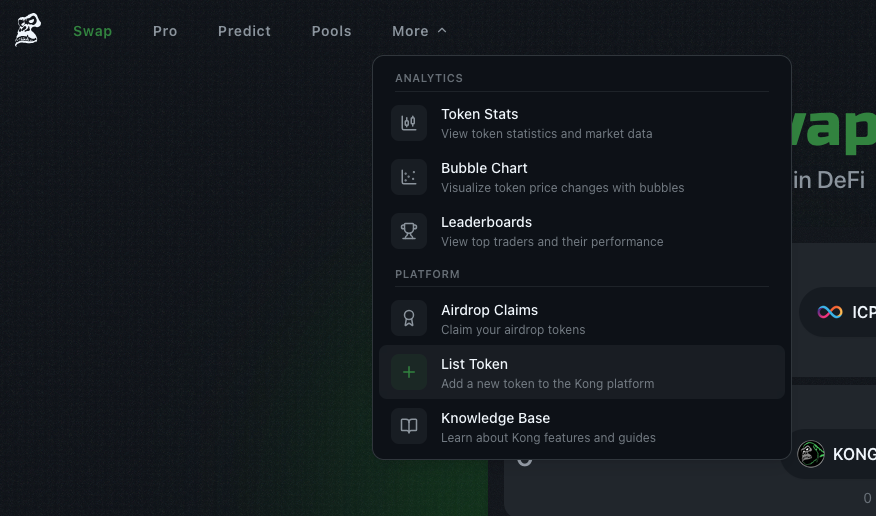
Step 1: Navigate to Add Token Page
From the main swap interface, click the "Add Token" button or go directly to kongswap.io/tokens.
Step 2: Enter the Canister ID
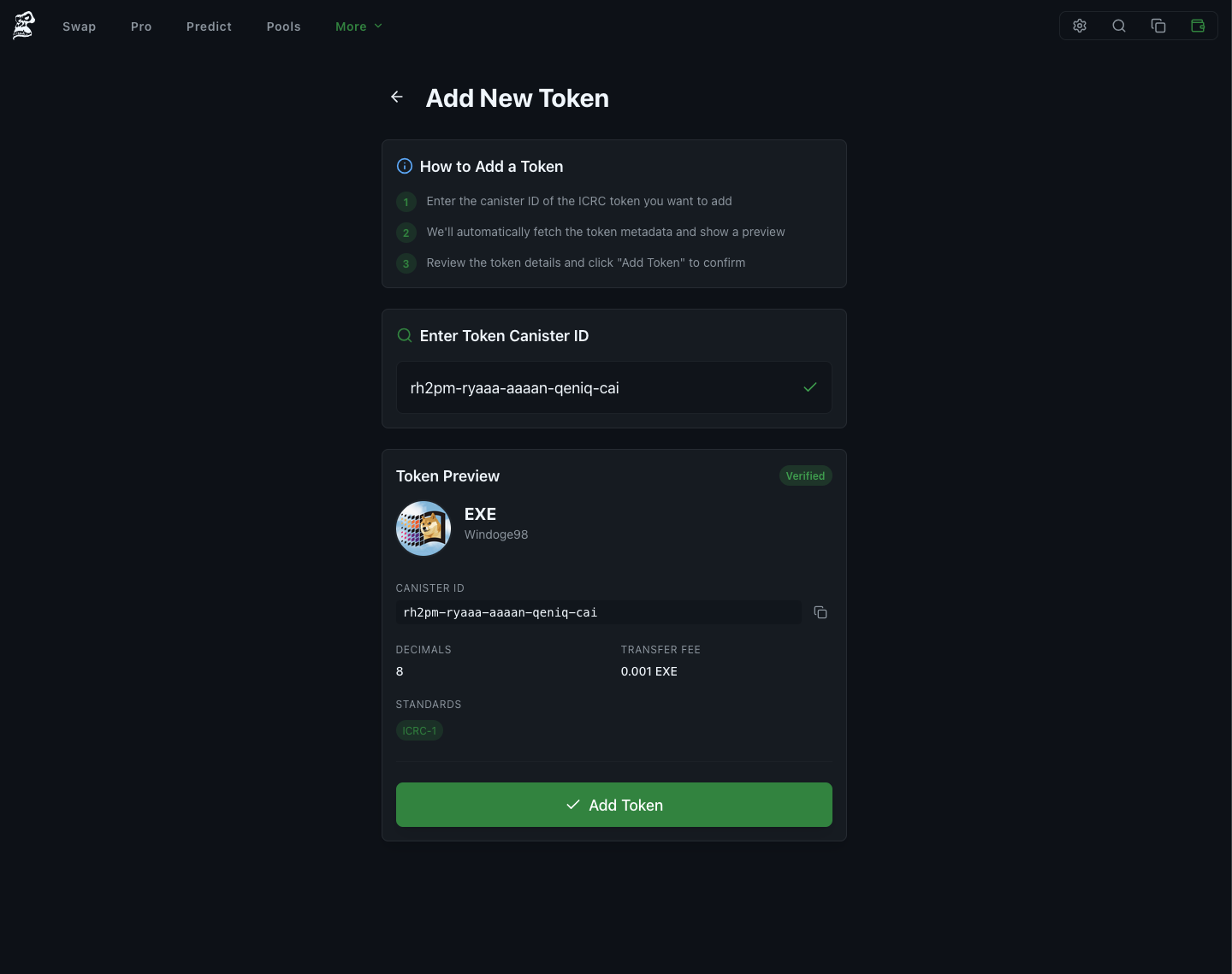
Paste the canister ID of the ICRC token you want to add. The format should look like: xxxxx-xxxxx-xxxxx-xxxxx-xxx
Step 3: Preview Token Details
KongSwap will automatically fetch and display:
- Token name
- Token symbol
- Decimals
- Total supply
- Token standard (ICRC-1, ICRC-2, etc.)
Step 4: Add the Token
Click "Add Token" to add it to KongSwap. The token will be:
- Added to your personal token list
- Available for trading (if liquidity exists)
- Ready for liquidity pool creation
After Adding a Token
Create a Liquidity Pool
After successfully adding a token, you'll be redirected to create a liquidity pool. By default, new tokens are paired with ICP.
- Set initial price - Determine the token's value relative to ICP
- Add liquidity - Provide both tokens to create the pool
- Start earning - Collect 0.3% fees from all trades
Learn more in our Understanding Liquidity Pools guide.
Start Trading
Once liquidity is added, the token becomes tradable on KongSwap. Share the pool link with your community to increase trading activity.
Common Issues
"Invalid Canister ID"
Make sure the ID:
- Has the correct format (with hyphens)
- Is a valid ICRC token canister
- Exists on the Internet Computer
"Could not fetch token metadata"
This means:
- The canister isn't an ICRC token
- The token doesn't have proper metadata
- Network issues (try again)
Token Added but Not Trading
If your token isn't tradable:
- No liquidity pool exists yet
- Create a pool with ICP or another token
- Add sufficient liquidity for trading
Advanced Features
Multiple Trading Pairs
After adding a token, you can create pools with:
- ICP (default and recommended)
- KONG
- Stablecoins (ckUSDC, ckUSDT)
- Any other token on KongSwap
Token Management
Manage your added tokens:
- Use Manage Tokens to enable/disable
- Sync tokens to discover balances
- Remove tokens you no longer need
Need Help?
If you encounter issues:
- Telegram Community
- X/Twitter Support
- In-app support chat
Next Steps
After adding your token:
- Create liquidity pool - Enable trading
- Share with community - Increase awareness
- Monitor performance - Track volume and fees in the pools section
Happy trading!
Tags
Share this article
Help others discover this content by sharing it